














































































































































































































































































































































































































































































































































































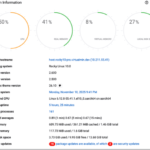

































































































































































































































































































































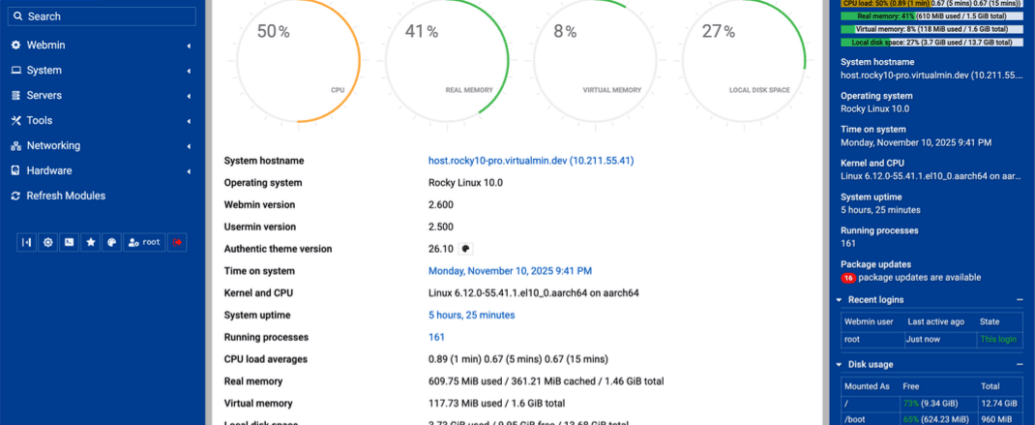
Webmin is a web-based system administration tool for Unix-like servers, and services with about 1,000,000 yearly installations worldwide. Using it, it is possible to configure operating system internals, such as users, disk quotas, services or configuration files, as well as modify, and control open-source apps, such as BIND DNS Server, Apache HTTP Server, PHP, MySQL, and many more.
Downloading and Installing
Setup
The simplest and best way to get Webmin is to use automatic webmin-setup-repo.sh script to configure repositories on your RHEL or Debian derivative systems. It can be done in two easy steps:
curl -o webmin-setup-repo.sh https://raw.githubusercontent.com/webmin/webmin/master/webmin-setup-repo.sh
sudo sh webmin-setup-repo.sh
This script will automatically setup our repository and install our GPG keys on your system, and provide webmin package for installation and easy upgrades in the future. The supported and tested systems are Red Hat Enterprise Linux, Alma, Rocky, Oracle, CentOS Stream, Fedora or Debian, Ubuntu, Kali.
Install
If Webmin repository was setup using our webmin-setup-repo.sh as described above then Webmin can be installed as easy as:
RHEL and derivatives
sudo dnf install webmin
Debian and derivatives
sudo apt-get install webmin –install-recommends
Access
After successful Webmin installation, you can access its interface by entering https://
Manual
Older Versions
Older versions of Webmin can be downloaded from Sourceforge.
Standard Modules
If Webmin was installed from the Webmin RPM or DEB repository described above, the standard modules are included in the webmin package. Use your system package manager to reinstall or upgrade Webmin instead of downloading individual module files.
If Webmin was installed from the Virtualmin repositories at download.virtualmin.com, the package is modular. The core modules are installed with webmin, and optional standard modules are available as separate webmin-* packages. For example:
sudo apt-get install webmin-squid
sudo dnf install webmin-squid
Use the package name that matches the module you need, for example webmin-cpan, webmin-postgresql, or webmin-custom. For the full Virtualmin repository layout, see Webmin module packages in the Virtualmin documentation.
Older Virtualmin systems may still use the legacy software.virtualmin.com repository and full Webmin builds. When those systems are switched to download.virtualmin.com using Virtualmin’s repository setup tools, previously used Webmin modules are preserved by installing the matching modular webmin-* packages.
The standard modules directory is mainly for manual, non-package-managed, or source/tarball installations. Avoid mixing module downloads from that directory with package-managed Webmin installs unless you have a specific reason.
Development Builds
There are development pre-release and nightly builds available for testing purposes only. These builds may be unstable or lack certain features. Use them at your own risk!
Repository packages from download.webmin.dev use the modular Webmin layout, with core modules in webmin and optional standard modules available as separate webmin-* packages.
Pre-release Builds
Pre-release builds can be found on rc.download.webmin.dev page.
Testing Builds
Testing builds can be found on download.webmin.dev page.